
Disclosure: As an Amazon Associate, we may earn a commission from qualifying purchases made through links on this page. This never affects our recommendations.
Key Takeaways
- Ergonomics is about adjustability, not just padding; look for chairs with adjustable lumbar support.
- Mesh backrests offer better breathability for long sessions, while high-density foam seats provide durability.
- A $300 budget is the ‘sweet spot’ where you transition from basic task chairs to professional-grade ergonomics.
- Proper seat depth and tilt tension are critical for maintaining healthy circulation during 8-hour workdays.
- Investing in a chair with a synchro-tilt mechanism helps maintain the natural curve of the spine better than simple tilting.
- Warranty and build quality matter; at this price point, look for nylon bases and heavy-duty casters.
Understanding Ergonomics on a Budget
When searching for the best ergonomic office chairs under $300, the first thing to understand is that ‘ergonomic’ is a functional description, not a marketing buzzword. An ergonomic chair is designed to support the human body’s natural posture, reducing strain on the spine, neck, and hips. In the sub-$300 category, manufacturers focus on essential adjustments rather than premium aesthetics or exotic materials.
The Core Components of Support
At this price point, you should prioritize three main areas: lumbar support, seat cushioning, and adjustability. A quality budget chair will usually feature a dedicated lumbar piece—either built into the frame or as a separate adjustable component. This prevents the ‘slouching’ effect that occurs as your muscles tire throughout the day. Furthermore, the seat pan should be wide enough to accommodate your frame without putting pressure on the back of your knees.
Material Science: Mesh vs. Fabric
Most highly-rated chairs under $300 utilize breathable mesh. This is a strategic choice for long work sessions because it allows for passive airflow, preventing the heat buildup associated with thick leather or low-grade foam. However, the quality of the mesh matters; look for ‘elastomeric’ mesh that retains its shape over time rather than sagging after a few months of use.
Essential Adjustments for Long Work Sessions
If you are working for extended periods, static furniture is your enemy. The ability to change positions is what defines a successful ergonomic setup. Even an affordable chair should offer a suite of basic adjustments that allow you to customize the fit to your desk height and leg length.
Seat Height and Depth
Standard pneumatic cylinders allow for height adjustment, but the best ergonomic office chairs under $300 often include seat depth adjustment as well. This allows you to slide the seat forward or backward, ensuring that your back is flush against the lumbar support while leaving a small gap between the seat edge and your calves. This is vital for maintaining healthy blood flow.
Armrest Versatility
Look for ‘3D’ or ‘4D’ armrests. In a budget-friendly range, 3D armrests (height, depth, and angle) are common and highly beneficial. Proper armrest positioning reduces the load on your shoulders and trapezius muscles. If your arms are not supported while typing, your neck and shoulders will eventually compensate, leading to tension headaches and upper back pain.
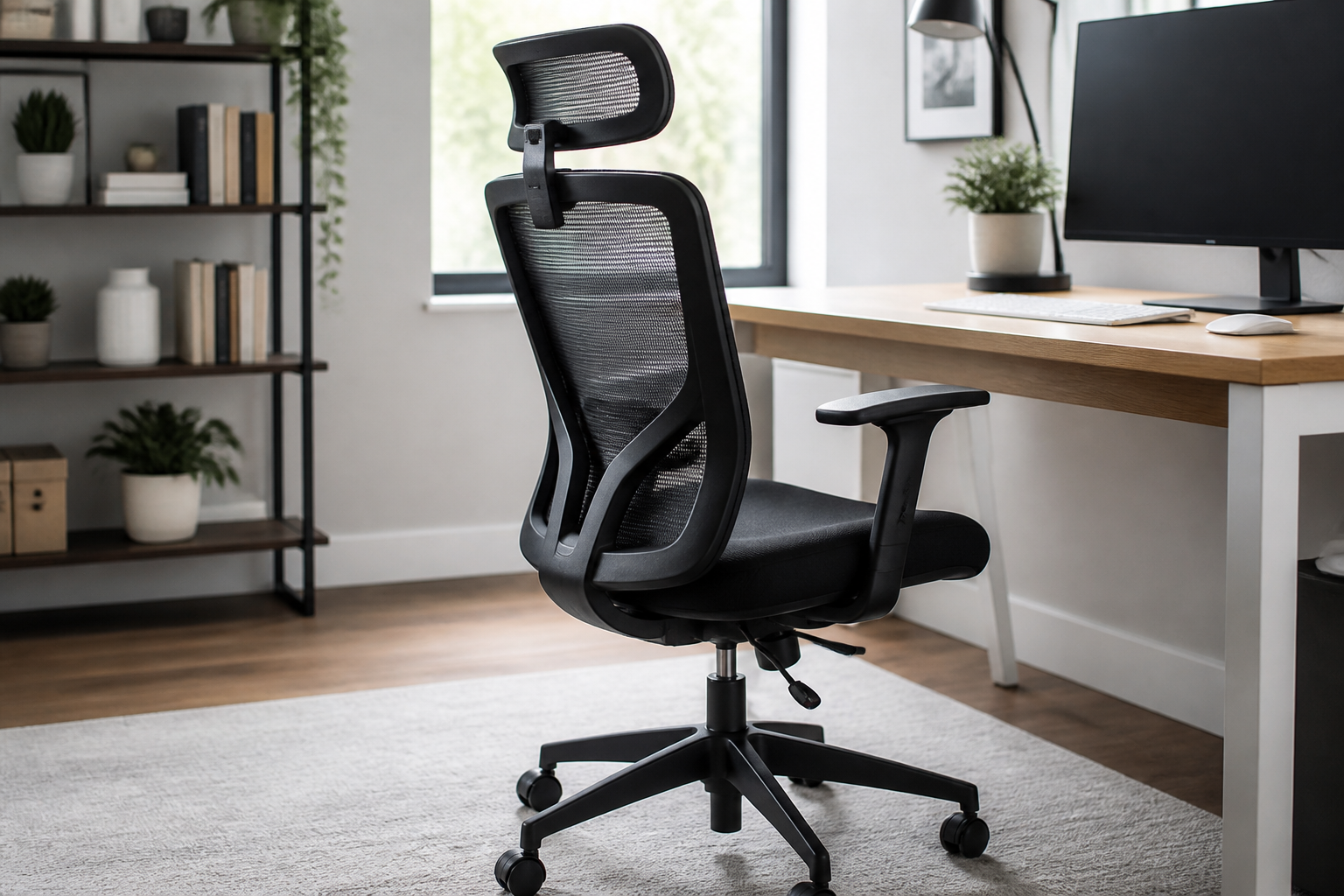
The Importance of the Tilt Mechanism
One of the biggest differences between a cheap task chair and a professional ergonomic chair is the tilt mechanism. For long work sessions, you want a chair that encourages movement. Movement keeps the spinal discs hydrated and prevents muscle stiffness.
Synchro-Tilt Technology
Many chairs in the $200-$300 range now feature synchro-tilt. This means the backrest and seat tilt at different ratios (usually 2:1). When you lean back, the seat rises only slightly, keeping your feet flat on the floor and your spine in a neutral position. This is far superior to simple ‘center tilt’ mechanisms where the entire chair rocks like a rocking chair, often lifting your feet off the ground and straining your thighs.
Tilt Tension and Lock
Being able to adjust the resistance of the lean is crucial. If the tension is too loose, you’ll feel unsupported; if it’s too tight, you won’t be able to utilize the recline feature. A quality budget chair will have a tension knob and at least three locking positions, allowing you to switch between an upright ‘focus’ mode and a relaxed ‘reading’ mode.
Durability and Build Quality Standards
It is a common misconception that budget chairs are ‘disposable.’ While they may not have the 12-year warranties of high-end brands, a well-chosen budget ergonomic chair can easily last 5-7 years with proper care. You must look past the surface to evaluate the components that actually bear your weight.
The Base and Casters
Look for a heavy-duty nylon or aluminum base. Nylon is standard at this price point and is incredibly durable. The casters (wheels) should be designed for your flooring type. Most budget chairs come with hard plastic casters for carpet; if you have hardwood floors, you may want to consider an aftermarket upgrade to ‘rollerblade style’ rubber wheels to prevent scratching and improve glide.
Foam Density
If you choose a fabric seat over a full-mesh design, inquire about the foam density. High-density molded foam is preferred over ‘cut foam.’ Molded foam holds its shape for years, whereas cheaper cut foam will compress and ‘bottom out’ within a few months, leaving you sitting on the hard plastic of the seat pan.
Optimizing Your Workspace Ergonomics
Even the best chair cannot fix a poorly arranged desk. To get the most out of your under $300 ergonomic investment, you must align the chair with the rest of your hardware. Ergonomics is a holistic system, not a single product.
Monitor Alignment
Your eyes should be level with the top third of your screen. If your chair is at the correct height but your monitor is too low, you will naturally crane your neck forward, neutralizing the benefits of your headrest or lumbar support. Consider a monitor arm to complement your new chair.
Keyboard and Mouse Positioning
With your chair’s armrests properly adjusted, your elbows should be at a 90-degree angle, with your wrists in a neutral, flat position. If your desk is too high, do not raise your chair to the point where your feet dangle; instead, use a footrest to maintain the ’90-90-90′ rule (hips, knees, and ankles all at right angles).
Comparison of Key Features by Chair Type
| Feature | Full Mesh Chair | Hybrid (Mesh/Foam) | Traditional Fabric |
|---|---|---|---|
| Breathability | Excellent | Good | Moderate |
| Pressure Distribution | High (Suspension) | Very High (Cushion) | Moderate |
| Durability | High | High | Moderate |
| Maintenance | Easy to Clean | Moderate | Difficult |
| Best For | Hot Climates | Maximum Cushioning | Brief Tasks |
Recommended Products

ergonomic mesh office chair adjustable lumbar under 300
High-rated mesh chairs provide the best breathability for long work sessions.

MySit Heavy Duty 300 LBs Office Chair Tilt Mechanism Replacement Parts | 5.9” x 8.6" Mounting Holes Tilt Control Mechanism(Not Standard Dimension)
Synchro-tilt is the gold standard for maintaining spinal alignment during recline.

big and tall ergonomic office chair 300lb capacity
Essential for users who need a reinforced frame and wider seat pan.

Office Desk Chair for Long Hours & Lower Back Pain Relief – 4“ Thick Molded Foam Cushion, Enhanced Lumbar Support, Padded Flip-up Armrests, Ideal for Office or Study, Black
Best for users who prefer the comfort of a cushioned seat over mesh.
Watch: Best Ergonomic Office Chairs Under $300 for Long Work Days
Conclusion
Investing in a high-quality office chair is an investment in your long-term health and professional efficiency. While the premium market offers luxury, the best ergonomic office chairs under $300 provide all the necessary physiological support required for demanding work schedules. By focusing on adjustable lumbar support, synchro-tilt mechanisms, and breathable materials, you can create a high-performance workspace without a high-performance price tag.
Before finalizing your choice, remember to measure your desk height and consider your specific pain points—whether they be lower back tension or neck strain. Learn more, compare the best options, and check today’s price on Amazon before making your purchase decision.
FAQ
Is a mesh or fabric chair better for 8-hour workdays?
Mesh is generally superior for long sessions because it promotes airflow and prevents perspiration. However, some users find mesh seats to be too firm or ‘bouncy.’ If you prefer a traditional ‘cushy’ feel, a fabric chair with high-density molded foam is a better choice. For the backrest, mesh is almost always the preferred ergonomic choice for temperature regulation.
How do I know if the lumbar support is in the right place?
The lumbar support should fit into the natural curve of your lower spine, just above your belt line. It should feel like a firm but comfortable ‘nudge’ that prevents your lower back from collapsing outward. If the support is too high, it will push your mid-back forward; if it’s too low, it won’t provide enough support for the spinal base.
Can I find a chair with a headrest for under $300?
Yes, many ergonomic chairs in this price range include adjustable headrests. A headrest is particularly useful if you spend a lot of time in a reclined position, such as during long meetings or while reading documents. However, for active typing tasks, a headrest is less critical as your head should be balanced over your shoulders in an upright posture.
What is the weight capacity of most budget ergonomic chairs?
Most standard ergonomic chairs under $300 are rated for 250 to 300 pounds. If you require a higher weight capacity, you should look for chairs specifically labeled as ‘Big and Tall.’ These models feature reinforced gas cylinders and wider bases to ensure safety and longevity for larger frames without exceeding the budget.
Do budget ergonomic chairs come pre-assembled?
Almost all chairs purchased online under $300 require some assembly. Typically, this involves attaching the casters to the base, securing the seat to the mechanism, and bolting on the backrest and arms. Most manufacturers include the necessary tools (usually an Allen wrench) and the process generally takes between 15 and 30 minutes.
Should I buy a gaming chair or an ergonomic office chair for work?
While gaming chairs are popular, ergonomic office chairs are generally better for long work sessions. Gaming chairs often use a ‘bucket seat’ design inspired by race cars, which can restrict shoulder movement and lack proper lumbar adjustability. Office-style ergonomic chairs are specifically engineered for upright productivity and offer better ventilation than the synthetic leather typically found on gaming chairs.